
Free Printable Bible Verse Cards
Make custom Bible verse cards in minutes. Choose from 58 designs across three themes, type in any verse, and print a ready-to-cut sheet of up to 8 cards. Perfect for Sunday School take-home cards, VBS memory verse rewards, children's church, and home devotions.
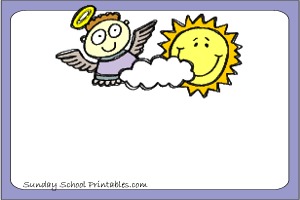
Cute Cards
18 colorful, child-friendly designs featuring angels and Jesus - children love to take these home
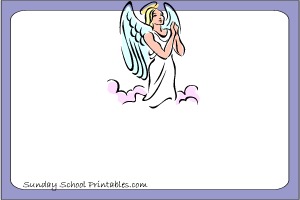
Angel and Guardian Angel Cards
23 detailed angel illustrations from cherubs to guardian angels watching over families and children
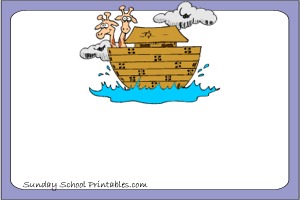
Bible Story Cards
17 classic Bible story scenes - Noah, Moses, David and Goliath, Jesus, and more
How to make your verse cards
Choose a design
Browse the three themes above and click any card design you like. This opens it directly in the card maker with that image already loaded and ready to go.
Find your Bible verse
Not sure which verse to use? Look it up first at BibleGateway.com - search by keyword, topic, or reference. You can choose your preferred translation (NIV, KJV, ESV, NLT, and many more), then copy and paste the verse text straight into the card maker. For shorter memory verses, the OpenBible topic search is great for finding verses by theme - love, courage, prayer, and so on.
Type your verse into the card
Click directly on the verse text on Card 1 and type or paste your verse. Press Enter to add a new line - shorter lines often look better on small cards. Click the reference line below and type the book, chapter, and verse (for example, John 3:16).
By default all cards are locked together - whatever you type on Card 1 updates all 8 cards automatically. This is the quickest way to make a full sheet of identical cards.
Make each card different (optional)
Want different verses or images on each card? Switch the All cards the same toggle to OFF. Each card then becomes independent - you can set a different image and a different verse on every single card. Great for making a mixed set covering an entire week of memory verses, or giving each child in your class a personalised card.
Print fewer than 8 cards
Use the Number of cards to print slider to set exactly how many you need - anywhere from 1 to 8. Cards beyond your chosen number will print blank, saving ink. For example, if you only need 3 cards, set the slider to 3 and the remaining 5 spaces will be empty. You can then cut those off or simply ignore them.
Change the image
When all cards are locked, use the Choose image for all cards thumbnail strip to switch to a different design within the same theme. When cards are unlocked, each card has its own thumbnail strip underneath it so you can mix and match images on the same sheet.
Print your sheet
Click Print Preview to open a clean print-ready sheet. Your browser's print dialog will open automatically. For best results, make sure Background graphics is turned on in your browser print settings - this ensures the card images print fully. The sheet is sized for standard US Letter paper (8.5 x 11 inches) in portrait orientation. Each card is roughly business card width, printed 2 columns x 4 rows per page.
Cut and hand out
Cut along the edges of each card with scissors or a paper trimmer. Card stock or heavy paper gives a much nicer result than regular copy paper - 80lb card stock is ideal. Laminating the cards after printing makes them durable enough for children to carry in a pocket or backpack all week.
Frequently asked questions
Are these verse cards free?
Yes, completely free. There is no sign-up, no account, and no cost. Just choose a design, type your verse, and print.
Which Bible translation should I use?
Any translation works. NIV and NLT tend to be popular for children because the language is clear and easy to memorize. KJV is traditional and widely recognized. ESV is a good middle ground. Look up the same verse in a few translations at BibleGateway.com and pick the wording that fits your class best.
How do I get the verse text onto the card?
Simply click the verse area on Card 1 and type. You can also look up your verse at BibleGateway, select and copy the verse text, then paste it directly into the card. Use Enter to break the verse into shorter lines if needed.
Can I make cards with different verses on each one?
Yes. Turn off the All cards the same toggle and each of the 8 cards becomes fully independent. You can give each card a different verse, reference, and image.
What if I only need 4 cards, not 8?
Use the Number of cards to print slider and set it to 4. The other 4 slots will print blank so you are not wasting ink on cards you don't need.
The images are not printing - what do I do?
Most browsers hide background images by default when printing to save ink. Look for a Background graphics or Print backgrounds option in your browser's print settings and make sure it is turned on. In Chrome this is under More settings in the print dialog.
What paper should I use?
Regular copy paper works fine for drafts and practice. For cards children will actually keep and carry around, 65lb or 80lb card stock gives a much better result. Most home printers handle card stock well. Laminating after printing makes the cards nearly indestructible.
Can I use these for commercial purposes or sell them?
These cards are free for personal, classroom, and church use. They are not licensed for resale or commercial distribution.
How many designs are there?
There are 58 card background designs across three themes - 18 cute designs, 23 angel and guardian angel designs, and 17 Bible story designs.